Scenario: The user wants to operate Desigo CC using a Flex client. For this purpose, a web communication channel needs to be created that requires an website and a Web Service Interface communication project.
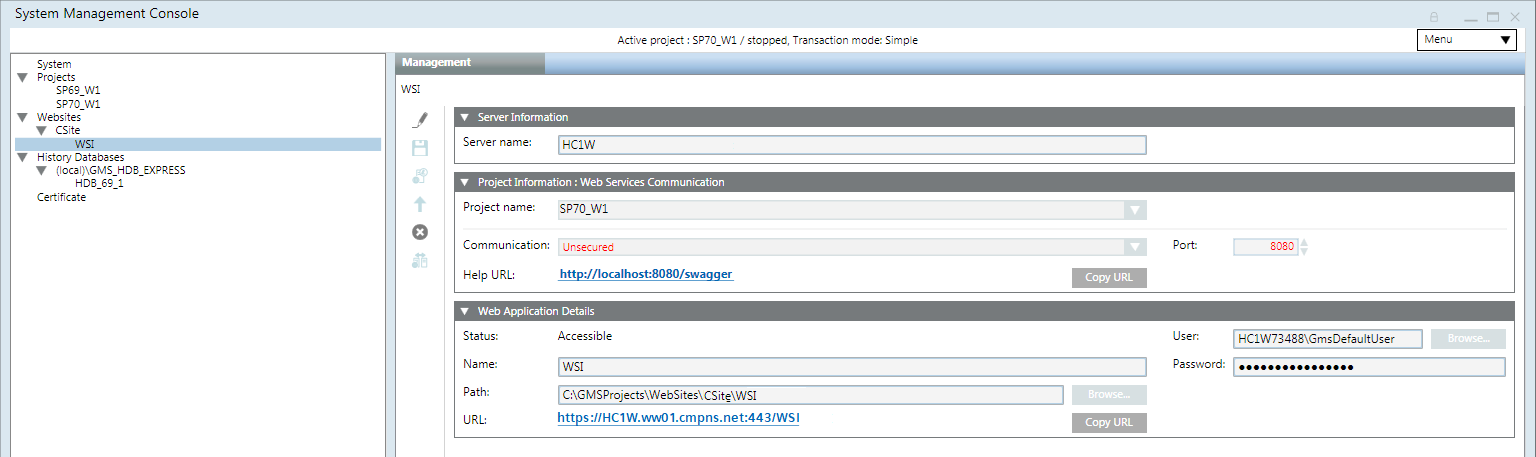
In the SMC tree, select Websites > Website. a. Click the Management tab. b. Select the existing Web Service Interface project. c. In the Web Application Details expander, click Copy URL.
In the SMC tree, select Websites > Website.
Click Create Flex Client Application.
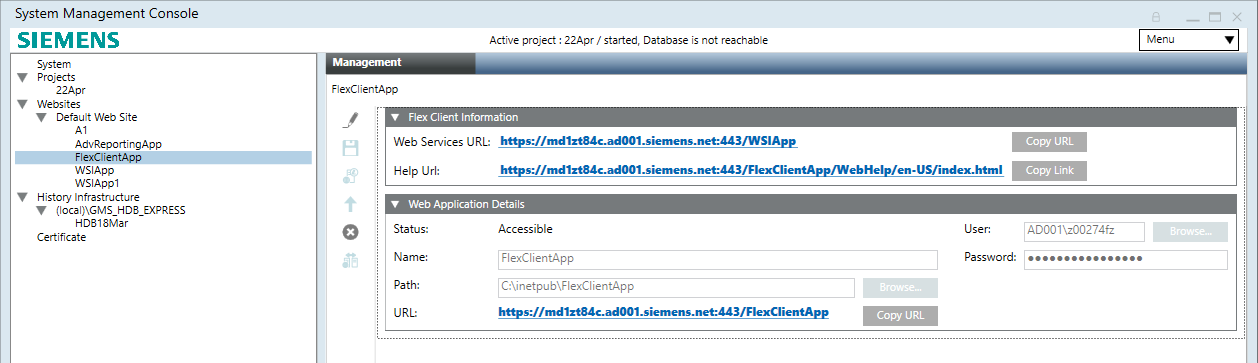
In the Flex Client Application expander, do any of the following to configure the Web Services URL other than the default:
Select the required Web Service URL from the drop-down list.
Paste the copied copy the Web Services URL link into the Web Services URL field to link the Web Service URL created under another website.
Type the Web Services URL in the format https://[hostname][port]/webservicename].
In the Web Application Details expander, do the following: a. In the Name field,entera unique name for the web application. b. In the Path field, browse to select a destination for the website. The default path is [installation drive:]\[installation folder]\[WebSites]\[Web site Name]. c. In the User field, browse to select a user for the website. d. In the Select User dialog box, select the user for the web service application and enter the password. NOTE: The Flex Client application must be a member of the IIS_IUSRS group. If you select a user that is not a member of the IIS_IUSRS group, SMC prompts you to add it. e. Enter the password.
Click Save.
A confirmation message displays.
Click OK.
The data is validated on successful creation. NOTE: Any inconsistency with the Web Service URL, for example if you have configured the Web Service URL which is not reachable or the Web Service URL is deleted, then the Web Service URL displays in red. You must click Editand configure the working Web Service URL. Additionally, you also must ensure that the parent website is started.
Information
NOTE: If you want to add an additional language to the installation and the Fllex Client application was already created, you need to delete and recreate it. If you do not follow this procedure, the new language will not be recognized and the software label will be displayed instead.

 .
.
 .
. and configure the working Web Service URL. Additionally, you also must ensure that the parent website is started.