System Manager is in a layout that includes the Contextual pane, and the Primary pane is unlocked .
In System Browser, select the wanted view.
Select a system object or graphic whose tasks you want to handle.
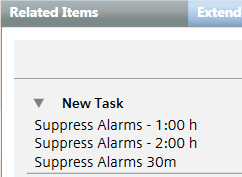
In Related Items, under New Task, the list of the available task templates displays.
Click the wanted template.
The task editing fields display in the Secondary Pane. The Target list is automatically set based on the selected object.
(Optional) Edit the task as required or drag-and-drop additional target objects.
Click Start. NOTE: If you have not saved yet any changes, when you click this button a message asks you to confirm the changes. In that case, click Yes.
In the Operator Tasks dialog box, enter your comment and click OK.
 .
.